
Instrument and equipment booking for research labs
Microscopes, centrifuges, spectrometers, shared rooms and vehicles: researchers book them in a few clicks, on the slots and opening hours you set, within group quotas and with approval from the lab manager when needed. Accessories are booked with the instrument and included in the price.
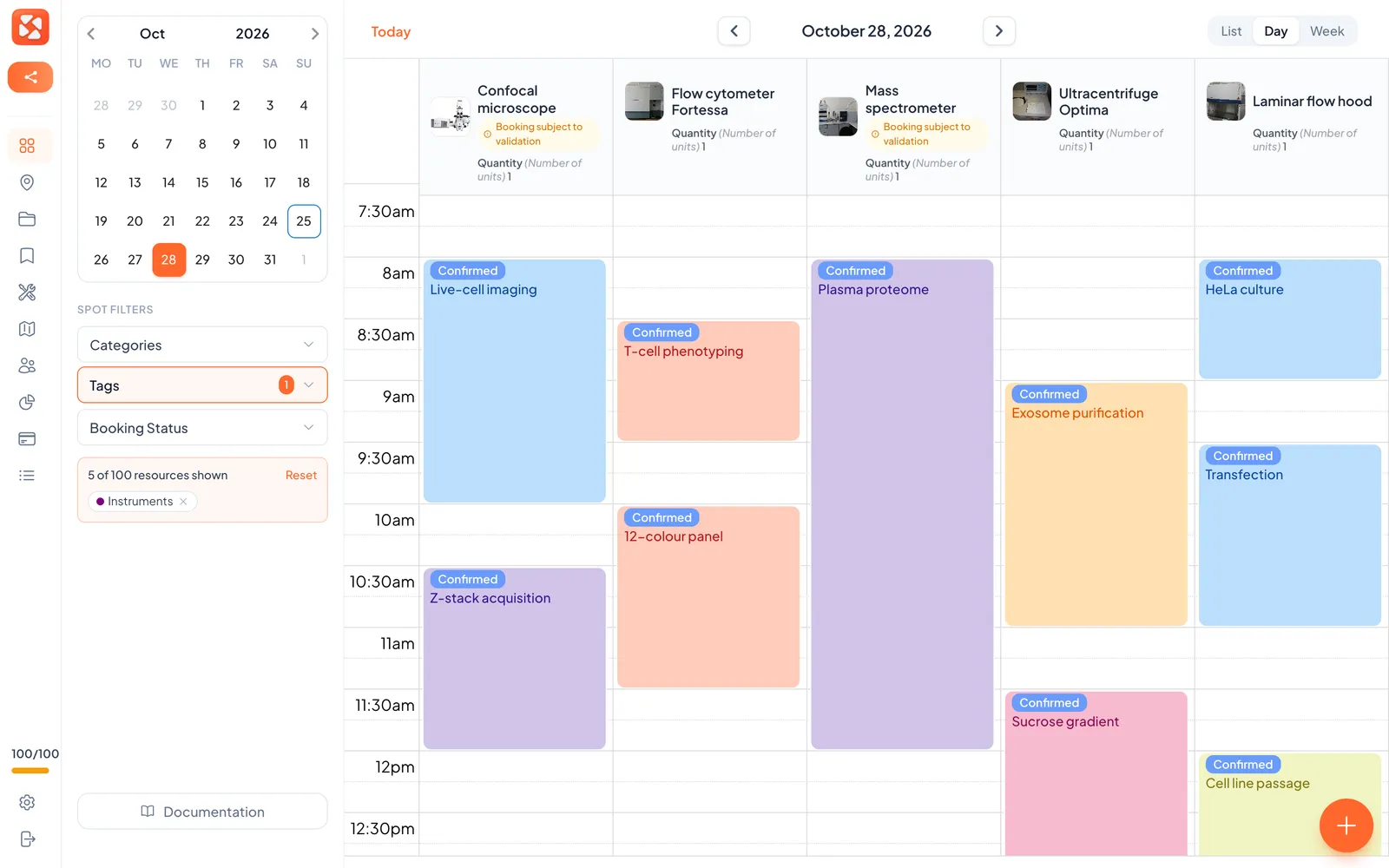
Built around how a lab shares its instruments
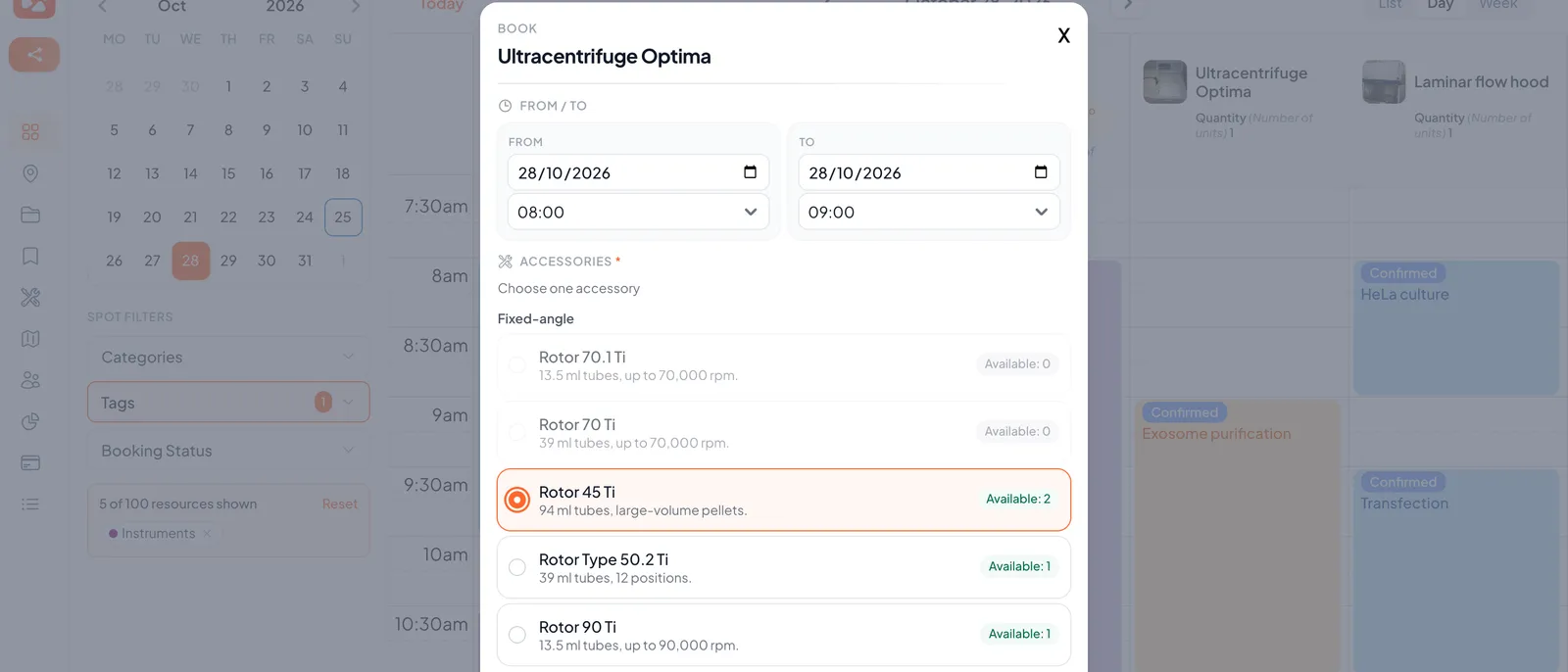
Instruments, rooms and equipment in one place
Microscopes, centrifuges, cold rooms, meeting rooms, vehicles: every shared resource is bookable, sorted by category, and can be placed on a floor plan. A public booking page lets partners outside the lab book without an account.
Opening hours and slot rules per instrument
Set the hours when an instrument can be booked and the slot rules, so that bookings follow the rhythm of your runs.
Fair quotas per group
Cap the hours a person can book per day, per week or per month. Give PhD students, postdocs and visitors different limits through groups.
Approval by a manager
Send requests for sensitive or costly instruments to the person in charge, who approves or refuses them.
Accessories included in the price
A rotor, a sample holder or a cable set is booked together with its instrument and costs nothing extra. Accessories are never booked alone, so nobody holds a part without the machine.
Sign in with Microsoft Entra ID or Google
Researchers sign in with their institutional account, and rights can follow your Microsoft Entra groups. Two-factor authentication is available for accounts that need it.
What changes for your lab?
From the sheet taped to the instrument to a schedule everyone can trust.
- The microscope is booked on a paper sheet or a shared spreadsheet, with overlapping entries and no history
- A few people hold the best slots for weeks, and no-shows leave the instrument idle
- Requests for costly instruments go back and forth by email until the lab manager answers
- Everyone sees what is free and books on slots that follow the instrument’s opening hours
- Reminders go out by email, and a booking nobody shows up for is released automatically (15 minutes by default, 5 to 60)
- Requests follow an approval step, and usage statistics export to CSV
How a lab sets up SpotBooker
Three steps, from your directory to the first booked run.
Sign in with Microsoft Entra ID or Google, or import users from a CSV or Excel file. Create groups such as technicians, PhD students and visitors.
Create each instrument with its category, opening hours, slot rules and quotas, and choose which ones need approval. Attach the accessories that go with it.
Researchers book a single slot or a series, approvers decide, and statistics show fill rate and no-shows instrument by instrument.
Features built for your needs
Approval Procedure
Set up approval workflows so managers can validate bookings before they're confirmed.
Learn moreUser Segmentation
Define user groups with specific access rights and booking rules tailored to your organization.
Learn moreInteractive Map
A floor plan of your premises shows which rooms and resources are free, occupied or reserved: find the right one and book it in one click.
Learn more
Good to know before you start
- SpotBooker does not track training or certification. It cannot refuse a booking until someone has been signed off on an instrument. To limit who can book a sensitive instrument, use groups and approval by a manager.
- There is no billing or recharging to grants or projects, and no maintenance log per instrument. SpotBooker books the time; usage statistics can be exported to CSV for your own accounting.
- Accessories, such as a rotor or a sample holder, are booked together with an instrument and are included in the price. They are never booked on their own.
- Calendars are fed through .ics invitations and subscription links. There is no two-way calendar sync and no native mobile app: SpotBooker works in the browser.
- Dedicated core-facility tools go further. According to their websites in October 2026, OpenInstrument lists a Lab plan at $499 per year for up to 10 instruments with unlimited users, and grant billing on its Core Facility plan. QReserve’s Core plan starts at $3,000 per year for up to 100 users. Sources: openinstrument.com and qreserve.com.
- SpotBooker is a simpler and cheaper tool for a lab’s shared instruments: free up to 2 resources, then $39 per month (or $390 per year) for 5 resources, plus $3 per extra resource per month, with unlimited users. If you need training sign-off or grant recharging, choose a dedicated tool.
Ready to transform your spaces?
Create your account, add two or three shared instruments and try the booking page with your team before opening it to the whole lab. 14-day trial, no card.
Start free trial